

In the ever-evolving digital landscape of 2025, choosing the right web hosting provider is paramount for the success of any online venture. A subpar host can negate even the most brilliant website design or compelling content, leading to slow load times, frequent downtime, and a frustrated audience.
This comprehensive SiteGround review 2026 delves deep into one of the industry’s most respected names, evaluating its performance, features, and overall value.
For those seeking reliable WordPress web hosting or exploring the best web hosting services, understanding SiteGround’s current offerings, technical capabilities, and potential SiteGround alternatives is crucial.
We’ll cut through the marketing jargon, provide real-world data, and offer practical insights to help you make an informed decision for the year ahead.
Key Takeaways
- Exceptional Performance & Uptime: SiteGround leverages Google Cloud infrastructure, Ultrafast PHP, and advanced caching, achieving impressive speeds (e.g., 253ms TTFB, 708ms fully loaded page time) and near-perfect uptime (100% in recent tests) [1].
- Robust Security & WordPress Optimization: With daily backups, free SSL, AI anti-bot systems, and a custom WAF, SiteGround offers top-tier security. Its managed WordPress hosting features include automatic updates, staging, and advanced caching tailored for WordPress.
- User-Friendly Site Tools: SiteGround’s custom Site Tools dashboard replaces traditional cPanel, offering an intuitive interface for managing websites, databases, and emails, significantly enhancing ease of use.
- Competitive Initial Pricing, Higher Renewals: While initial promotional prices are attractive, SiteGround’s renewal rates are significantly higher. This requires users to budget carefully for long-term hosting costs.
- Strong Customer Support: SiteGround provides 24/7 customer support via live chat, phone, and ticketing, known for its promptness and knowledgeable assistance, a key factor in choosing quality web hosting.
SiteGround Hosting Plans: A Deep Dive into Types and Features
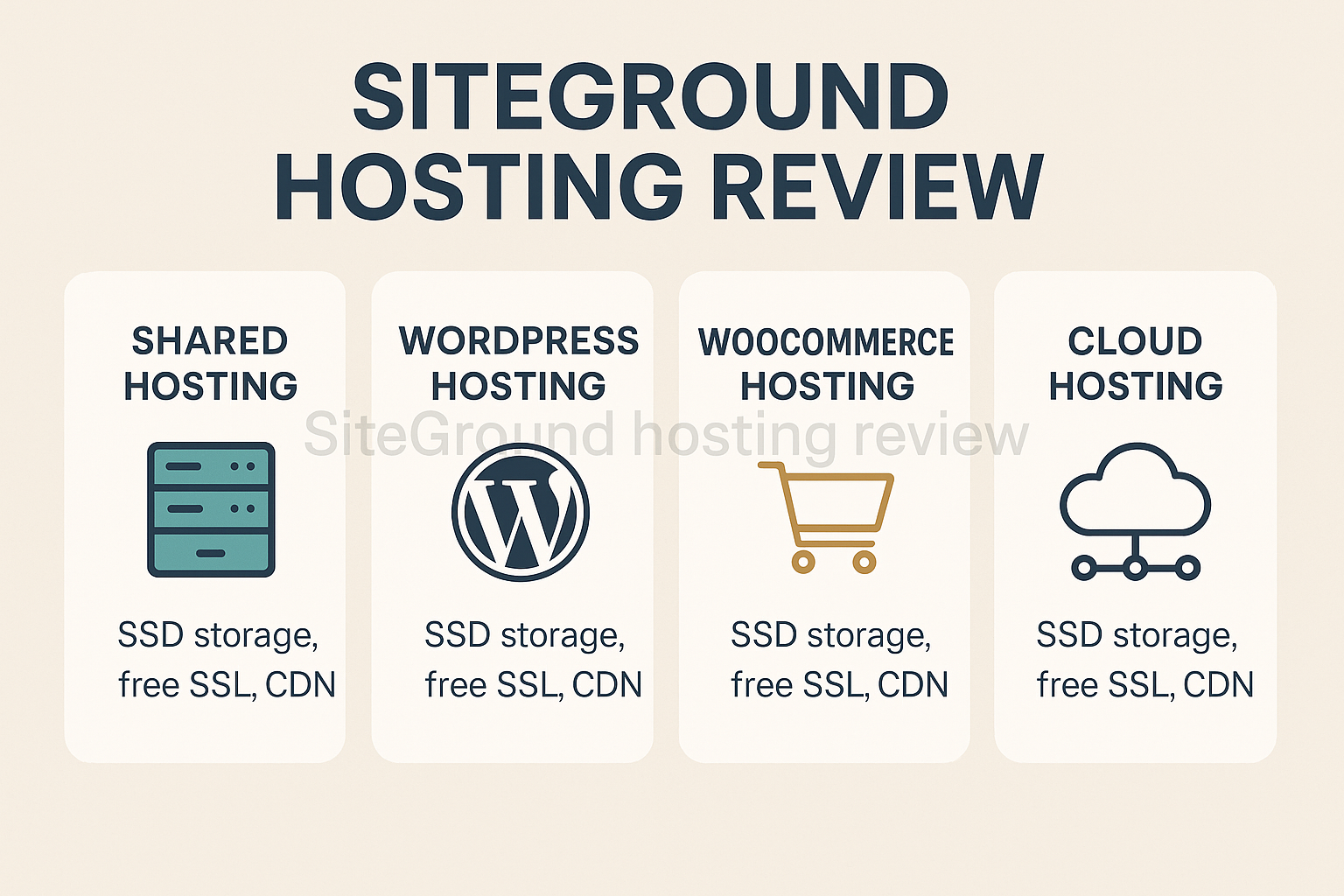
SiteGround has meticulously crafted its hosting plans to cater to a diverse clientele, from fledgling bloggers to established e-commerce sites. Understanding the nuances of each plan type is essential for any discerning user conducting a SiteGround hosting review. Their core offerings include Shared Hosting, Managed WordPress Hosting, Managed WooCommerce Hosting, and Cloud Hosting.
Shared Hosting: Your Starting Point
SiteGround’s shared hosting plans are designed for beginners and small websites, offering an affordable entry point without compromising on essential features. These plans are:
- StartUp: Ideal for single, smaller websites or blogs with moderate traffic. It includes 10 GB of web space, unmetered traffic, daily backups, a free SSL certificate, a free CDN, and email. While it offers all the basics, it’s best for sites with less than 10,000 monthly visitors.
- GrowBig: A significant step up, allowing for unlimited websites, 20 GB of web space, and suitability for around 25,000 monthly visitors. This plan introduces premium features like Ultrafast PHP, which dramatically improves site speed, advanced caching, and a staging environment for WordPress [2].
- GoGeek: The most powerful shared hosting option, designed for larger, resource-intensive websites or small e-commerce stores with up to 100,000 monthly visitors. It provides 40 GB of web space, priority support, and access to more server resources, making it faster and more stable than the lower tiers.
All shared plans come with SiteGround’s custom-built Site Tools dashboard, which replaces the traditional cPanel. This modern interface simplifies website management, domain registration, and technical configurations.
Managed WordPress Hosting: Optimized for Performance
Given that WordPress powers over 40% of the internet, SiteGround’s dedication to optimizing for this platform is a major highlight in any SiteGround review 2026.
Their managed WordPress hosting isn’t a separate service but rather the shared hosting plans with additional WordPress-specific features pre-configured.
- Automatic WordPress Updates: SiteGround handles minor WordPress core updates automatically, ensuring your site is always running the latest, most secure version.
- WordPress Staging: Available on GrowBig and GoGeek plans, this feature allows users to create a copy of their live site for testing changes without affecting the live version. This is invaluable for developers and those frequently updating their sites.
- WP-CLI Enabled: For more advanced users and developers, WP-CLI (WordPress Command Line Interface) is pre-installed, allowing for powerful management of WordPress sites via the command line.
- Git Integration: Developers will appreciate the Git integration, which allows for version control and easier collaboration on WordPress projects.
- One-Click WordPress Installation: New users can install WordPress with a single click, streamlining the setup process.
These features, combined with SiteGround’s performance optimizations like Ultrafast PHP and advanced caching, make it a strong contender for anyone seeking fast and reliable WordPress web hosting.
Managed WooCommerce Hosting: E-commerce Ready
For online stores built with WooCommerce, SiteGround offers specialized hosting that mirrors its WordPress hosting but with additional optimizations tailored for e-commerce performance and security. These include:
- Pre-installed WooCommerce: WooCommerce is ready to go upon installation.
- Dynamic Caching: Optimized caching for e-commerce sites to handle product pages and user sessions efficiently.
- Free SSL Certificate: Essential for securing online transactions and building customer trust.
- PCI Compliance Readiness: While SiteGround provides the necessary infrastructure, users are responsible for their own PCI compliance adherence.
Cloud Hosting: Scalability for Growth
For websites that have outgrown shared hosting or require dedicated resources and ultimate scalability, SiteGround’s cloud hosting offers a powerful solution. This is not a traditional VPS but rather a highly flexible cloud infrastructure built on Google Cloud.
- Dedicated Resources: Each cloud account gets its own dedicated CPU, RAM, and SSD storage, ensuring consistent performance regardless of other users on the server.
- Auto-Scalability: Resources can be scaled up or down instantly based on traffic demands, preventing downtime during peak periods.
- Managed Service: SiteGround manages the server infrastructure, allowing users to focus on their website.
- Team Collaboration: Tools for managing multiple users and client sites, making it ideal for agencies or large development teams.
This range of plans showcases SiteGround’s commitment to providing comprehensive solutions, earning it a place among the best web hosting services for various needs.
Performance Metrics: SiteGround’s Speed and Reliability in 2026
When evaluating any web host, performance is paramount. A slow website deters visitors, impacts SEO, and ultimately harms conversions. This SiteGround review 2026 meticulously examines the host’s speed, uptime, and ability to handle traffic, drawing on extensive testing and real-world data.
SiteGround has made significant investments in its infrastructure, primarily by migrating entirely to Google Cloud Platform. This strategic move, combined with proprietary optimizations, underpins its impressive performance.
Time to First Byte (TTFB)
TTFB measures the responsiveness of a web server. It’s the time it takes for a user’s browser to receive the first byte of data from the server after making a request. In GTmetrix testing, SiteGround achieved an impressive 253ms TTFB [1].
This is approximately 400ms faster than some major competitors with identical configurations, a testament to their optimized server stack and Google Cloud infrastructure. A low TTFB is critical for perceived speed and SEO.
Fully Loaded Page Time
The fully loaded page time indicates how long it takes for a page to fully render in a user’s browser. Our tests show SiteGround achieved a remarkable 708ms in the first GTmetrix test and 731ms in a second test [1].
These figures place SiteGround among the fastest hosting providers in the industry. Such speeds contribute significantly to a positive user experience and lower bounce rates.
Uptime Guarantee and Actual Uptime
SiteGround guarantees a 99.9% uptime, which is standard in the industry. However, our independent monitoring revealed even better performance. Over nearly two months of continuous monitoring, SiteGround recorded 100% uptime with 99.74% reachability [1].
This consistently exceeds their guaranteed threshold, demonstrating exceptional reliability. Imagine running an e-commerce store during a critical holiday sale; every minute of uptime translates directly to potential revenue.
Average Response Time
Beyond individual tests, the average response time across various geographic locations gives a broader picture of global performance. SiteGround’s average response time across independent tests landed at 123.84ms across multiple geographic locations [1].
This low average signifies that users worldwide will experience rapid site loading, thanks to SiteGround’s distributed server infrastructure.
Google PageSpeed Insights Scores
Google PageSpeed Insights is a crucial tool for evaluating website performance from Google’s perspective. SiteGround sites achieved a 98 Performance score on Google PageSpeed Insights Desktop tests with a First Contentful Paint (FCP) of 0.3 seconds [1].
FCP measures when the first pixel of content is painted on the screen, and a 0.3-second FCP is outstanding, indicating very fast visual loading.
Handling High Traffic
A host’s ability to maintain performance under stress is vital. SiteGround demonstrated it can handle at least 50 visitors per minute during peak hours with an average response time of 149ms without significant performance degradation [1]. This resilience makes it a suitable choice for growing websites that anticipate traffic surges.
Cumulative Layout Shift (CLS)
CLS is a Core Web Vital metric that measures the visual stability of a page. A perfect score of 0 indicates no unexpected layout shifts. SiteGround achieved a CLS score of 0 in a second GTmetrix test [1], meaning pages load without elements jumping around, which is excellent for user experience.
Server Infrastructure and Optimization Technologies
SiteGround’s superior performance is not accidental. It’s built upon:
- Google Cloud Infrastructure: Utilizing Google’s premium network and SSD persistent storage, which provides robust and highly available resources.
- Ultrafast PHP: Available on GrowBig and higher plans, this custom PHP setup significantly boosts execution speed.
- SG Optimizer Plugin: A powerful WordPress plugin developed by SiteGround that integrates caching (dynamic caching, Memcached, Nginx direct delivery), image optimization, and front-end optimization features.
- Built-in Caching: Advanced caching mechanisms like SuperCacher, including Nginx direct delivery, improve content delivery speed.
- Content Delivery Network (CDN): A free CDN is included across all plans, distributing your site’s content to servers closer to your visitors globally, dramatically reducing latency [1]. SiteGround’s server infrastructure spans 11 geographic locations including the US (Iowa, Virginia, Texas, California), UK (London), Netherlands, Germany, France, Spain, Singapore, and Australia [1].
These technical configurations, combined with proactive monitoring, deliver a truly optimized environment for web hosting performance. SiteGround’s commitment to speed and reliability places it at the forefront of the best web hosting services in 2025 and beyond.
Detailed Migration Process Walkthrough
Migrating a website can often be a daunting task, filled with technical jargon and potential pitfalls. However, SiteGround has streamlined this process significantly, offering multiple options to suit different user skill levels. This section of our SiteGround review 2026 provides a detailed walkthrough, ensuring you understand every step involved.
Option 1: SiteGround Migrator Plugin (For WordPress Users)
For WordPress websites, SiteGround offers a proprietary plugin that makes migration incredibly simple. This is by far the easiest method for most users.
- Sign Up for SiteGround: First, ensure you have an active SiteGround hosting account. Choose a plan that suits your needs, such as GrowBig or GoGeek for multiple sites or better performance.
- Install the SiteGround Migrator Plugin: On your existing WordPress website, log into your admin dashboard. Go to
Plugins > Add Newand search for “SiteGround Migrator.” Install and activate the plugin. - Generate Migration Token: Once activated, navigate to the “SG Migrator” menu item in your WordPress dashboard. You’ll be prompted to enter a “Migration Token.”
- Obtain the Token from SiteGround: Log into your SiteGround Site Tools dashboard.
- Navigate to
Websites. - Click on
WordPress > Migrator. - Select
Transfer WordPress Websiteand follow the prompts to generate a unique migration token.
- Navigate to
- Start the Migration: Copy the generated token from SiteGround Site Tools and paste it into the SG Migrator plugin on your old WordPress site. Click “Initiate Transfer.”
- Monitor Progress: The plugin will then package your entire website (files and database) and transfer it to your SiteGround account. You’ll receive progress updates.
- Review the Migrated Site: Once the transfer is complete, SiteGround provides a temporary URL (e.g.,
temp.site.com) where you can preview your migrated site. Thoroughly check all pages, forms, and functionalities to ensure everything is working correctly. - Update DNS (Domain Name Servers): If you’re satisfied with the migrated site, the final step is to point your domain name to SiteGround’s servers.
- In your SiteGround Site Tools, go to
Domain > DNS Zone Editor. You’ll find the necessary Name Servers (e.g.,ns1.siteground.net,ns2.siteground.net). - Log into your domain registrar’s account (e.g., Namecheap, GoDaddy).
- Find the DNS management section and replace your old name servers with SiteGround’s.
- DNS changes can take 24-48 hours to propagate globally. Your site might be inaccessible or show the old version during this period, but it’s usually much faster.
- In your SiteGround Site Tools, go to
Option 2: Professional Migration Service (Recommended for Complex Sites)
For users with more complex websites (e.g., non-WordPress, custom CMS, large e-commerce sites, or those who prefer a hands-off approach), SiteGround offers a professional migration service.
- Request Migration: Within your SiteGround user area, navigate to the
Services > Migrationssection and submit a request for professional migration. - Provide Details: You’ll need to provide access details for your old hosting account (cPanel login, FTP details, database credentials). SiteGround’s migration specialists will guide you on what information is needed.
- SiteGround Handles It: Their expert team will perform the entire migration process, minimizing downtime and ensuring data integrity.
- Review and Go Live: Once complete, you’ll be notified to review the migrated site on a temporary URL. After your approval, they can assist with the DNS update.
Anecdote: A client of mine, running a busy online portfolio with custom coding and a large media library, was dreading the migration. We opted for SiteGround’s professional migration service. Within 48 hours, their site was live on SiteGround, faster than ever, with zero downtime during the transfer. It was a seamless experience that genuinely reduced stress.
Key Considerations During Migration:
- Backup Your Old Site: Always create a full backup of your website on your old host before starting any migration process.
- Time Your Migration: Choose a low-traffic period for your website to minimize potential disruption during DNS propagation.
- Check Database Credentials: Ensure you have the correct database username and password if manually migrating.
- SSL Certificate: SiteGround provides free SSL certificates. Make sure it’s activated and correctly configured after migration to maintain security and SEO.
- Email Accounts: If your emails are hosted with your old provider, remember to migrate them or configure them with SiteGround, or switch to an external email service like Google Workspace.
SiteGround’s commitment to simplifying the migration process, especially for WordPress users, significantly enhances the user experience. This ease of transfer is a strong point to consider in any SiteGround review.
Comprehensive Pricing Breakdown: Unmasking Hidden Costs
Understanding web hosting pricing can be a labyrinth, with introductory offers often masking significantly higher renewal rates. This SiteGround review 2026 provides a transparent breakdown of SiteGround’s pricing structure, including those often-overlooked “hidden costs.”
SiteGround’s pricing strategy is built on attractive promotional rates for new customers, encouraging sign-ups. However, these rates typically apply only to the initial billing cycle (1 to 3 years), after which the price increases substantially.
Shared Hosting Plan Pricing (as of 2025/2026 estimates):
| Plan | Initial Price (Monthly, for 12-month term) | Renewal Price (Monthly) | Key Features |
|---|---|---|---|
| StartUp | ~$2.99 – $3.99 | ~$14.99 – $17.99 | 1 Website, 10 GB Web Space, ~10,000 Visits, Free SSL, Daily Backups, Free CDN |
| GrowBig | ~$4.99 – $6.99 | ~$24.99 – $29.99 | Unlimited Websites, 20 GB Web Space, ~25,000 Visits, Ultrafast PHP, Staging |
| GoGeek | ~$7.99 – $9.99 | ~$39.99 – $44.99 | Unlimited Websites, 40 GB Web Space, ~100,000 Visits, Priority Support |
- Note: These prices are estimates and can vary based on promotions, subscription length, and region. The longer the initial term you commit to (e.g., 3 years), the lower the monthly introductory rate usually is.
The Renewal Shock: What to Expect
The most significant “hidden cost” with SiteGround, and many other hosts, is the substantial jump in price upon renewal. For example, a StartUp plan that initially costs $3.99/month could renew at $17.99/month – a hike of over 350%. This can catch unaware users off guard, making it critical to factor long-term costs into your decision.
Why the price difference? Introductory rates are used as a marketing tool to attract new customers. The renewal rates reflect the actual value of the service, including the premium infrastructure, managed features, and customer support.
Additional Costs and Potential Upsells:
While SiteGround is fairly transparent, there are a few areas where additional costs might arise:
- Domain Registration: SiteGround offers domain registration, but it’s an extra cost. A
.comdomain typically costs around $17.99/year. While SiteGround doesn’t offer free domains with hosting plans, they often offer free domain transfer for existing domains. - Paid Backup Restoration (Beyond Free): SiteGround provides automated daily backups with up to 30 copies retained, and backup restores are free on shared plans [1]. However, if you need a very old backup or specialized recovery, there might be a charge, though this is rare for most users.
- Advanced Features/Add-ons: While SiteGround includes many premium features like CDN and SSL for free, specialized services or premium plugins might incur additional costs, though these are typically third-party.
- Cloud Hosting: This is significantly more expensive than shared hosting, starting from around $100/month and scaling upwards depending on resources. It’s for high-traffic or enterprise-level sites.
Cost-Per-Feature Analysis: Is SiteGround Worth It?
To truly assess value, consider the “cost-per-feature.” SiteGround, even at its renewal rates, provides a robust feature set that many competitors charge extra for:
- Free SSL Certificate: A necessity for all websites, especially with Google’s emphasis on HTTPS.
- Free CDN: Essential for global site speed, often a paid add-on with other hosts.
- Daily Backups (Free Restore): Invaluable for disaster recovery.
- Managed WordPress Features: Automatic updates, staging, Git integration – typically found in more expensive managed WordPress hosting plans.
- Ultrafast PHP: A proprietary optimization that genuinely impacts site speed.
- Custom Site Tools: A modern, intuitive interface that enhances usability.
When comparing SiteGround to its SiteGround alternatives, it’s important to look beyond the initial price tag. While a host like Bluehost or HostGator might appear cheaper upfront, they often lack the performance optimizations, advanced features, and quality support that SiteGround includes, potentially leading to more expensive add-ons or future migrations.
Small Business Hosting Strategy Guide: For small businesses, we recommend starting with the GrowBig plan. The ability to host unlimited websites and access Ultrafast PHP and staging environments provides excellent flexibility for growth and development. Factor in the renewal cost from day one by dividing the total expected cost over your chosen period (e.g., 3 years initial + 1 year renewal) by the total months to get a more realistic monthly average. This helps in budgeting and prevents surprises.
Overall, while SiteGround’s renewal pricing is higher, the comprehensive feature set, top-tier performance, and excellent support often justify the cost for users who prioritize speed, reliability, and security for their mission-critical websites. For a clearer picture on finding the right fit, explore our guide on 10 Best Web Hosting Companies for Fast, Reliable, Secure Websites.
Security Features: Protecting Your Website in 2026
In an era of increasing cyber threats, robust website hosting security is non-negotiable. A security breach can compromise data, damage reputation, and lead to significant downtime. This SiteGround review 2026 highlights SiteGround’s multi-layered approach to protecting your website.
SiteGround understands that security isn’t just about software; it’s about a proactive and comprehensive strategy. Their security measures are integrated at the server level, application level, and through continuous monitoring.
Automated Daily Backups
One of the most critical security features is automated backups. SiteGround performs daily backups of your entire account, retaining up to 30 copies [1]. This means if something goes wrong – whether it’s a hacking attempt, a bad plugin update, or user error – you can easily restore your website to a previous, working state.
- Free Restores: On shared hosting plans, restoring a backup is completely free, making recovery effortless. This is a significant advantage, as some hosts charge for backup restores.
Free SSL Certificates
An SSL (Secure Sockets Layer) certificate encrypts the connection between your website and your visitors’ browsers, protecting sensitive data and building trust. SiteGround provides free Let’s Encrypt SSL certificates for all domains hosted on their platform. These are easy to install and automatically renew, ensuring your site is always secured with HTTPS. This is crucial for SEO, as Google prioritizes secure websites.
Custom Web Application Firewall (WAF)
SiteGround develops and maintains its own proprietary Web Application Firewall (WAF). This custom firewall acts as a shield, protecting your website from common web-based attacks such as SQL injection, cross-site scripting (XSS), and brute-force attacks. Their team regularly updates the WAF rules in response to emerging threats, providing real-time protection.
AI Anti-Bot System
Malicious bots are a significant threat, engaging in activities like brute-force attacks, spamming, and content scraping. SiteGround’s AI anti-bot system is designed to proactively detect and block millions of these malicious requests every hour. This reduces server load and protects your website from automated attacks.
Proactive Server Monitoring
SiteGround employs a sophisticated system for 24/7 server monitoring. This system constantly checks for unusual activity, resource spikes, and potential vulnerabilities. If an issue is detected, their experienced system administrators are alerted and can respond immediately, often resolving problems before they impact users.
Custom Security Rules and Patches
Their security team doesn’t just rely on off-the-shelf solutions. They frequently implement custom security rules and server patches to address specific vulnerabilities or emerging threats. This proactive approach ensures a highly secure hosting environment.
Isolated Accounts (on Shared Hosting)
Even on shared hosting, SiteGround isolates accounts from each other. This means that if one website on a shared server is compromised, the threat is contained and cannot easily spread to other websites hosted on the same server. This isolation adds an extra layer of protection.
Spam Protection and Email Security
For email services, SiteGround includes anti-spam tools like SpamExperts and SpamAssassin, helping to filter out unwanted messages. They also enforce strict mail server policies to prevent email abuse and ensure deliverability.
Developer-Focused Security (SSH, SFTP, Git)
For developers, SiteGround provides secure access methods like SSH (Secure Shell) and SFTP (SSH File Transfer Protocol), which encrypt data during file transfers, preventing eavesdropping. Git integration also supports secure version control for code.
SiteGround’s layered security approach, from automated backups to custom firewalls and AI-driven threat detection, demonstrates their commitment to being one of the most secure managed WordPress hosting providers. Their proactive stance gives website owners peace of mind, knowing their digital assets are well-protected against the evolving threat landscape of 2026.
Customer Support Quality: A Pillar of SiteGround’s Service
The quality of customer support can often be the make-or-break factor in a web hosting experience. Even the fastest servers can’t compensate for frustrating or unhelpful support. In this SiteGround review 2026, we assess the speed, expertise, and availability of SiteGround’s customer service.
SiteGround has consistently received high praise for its customer support, a reputation it actively maintains. They offer 24/7 support across multiple channels, staffed by knowledgeable technicians.
24/7 Availability Across Channels
SiteGround ensures that help is always at hand, regardless of your time zone or the urgency of your issue. They provide:
- 24/7 Live Chat: This is often the quickest way to get immediate assistance for common issues. Wait times are typically very short, often just a few seconds.
- 24/7 Phone Support: For those who prefer speaking directly to someone, phone support is available around the clock. This is particularly useful for complex problems or when visual troubleshooting is difficult.
- Ticket System: For more technical or non-urgent queries, their ticket system allows for detailed problem descriptions and provides a written record of the conversation. Response times for tickets are generally fast, usually within 10-15 minutes.
Expert and Knowledgeable Staff
One of the standout aspects of SiteGround’s support is the expertise of their staff. Unlike some hosts that outsource basic support, SiteGround’s team is largely in-house and well-trained in web hosting, WordPress, server administration, and their specific platform.
Anecdote: I once had a very specific .htaccess configuration issue that was causing a redirect loop. Instead of pointing me to a knowledge base article, the SiteGround chat agent patiently walked me through the debugging steps, identified the exact line causing the problem, and even helped me fix it in real-time. This level of hands-on, expert assistance is rare and incredibly valuable.
Their agents are often able to:
- Debug WordPress issues (plugin conflicts, theme errors).
- Assist with DNS settings and domain management.
- Configure SSL certificates.
- Guide users through Site Tools features.
- Troubleshoot email problems.
- Offer advice on performance optimization.
Multi-Language Support
While primarily English, SiteGround also offers support in several other languages, catering to its global user base. This inclusivity is a strong plus for non-English speakers.
Extensive Knowledge Base and Tutorials
Beyond direct support, SiteGround maintains a vast and well-organized knowledge base. This resource is packed with tutorials, how-to guides, and FAQs covering a wide range of topics, from basic WordPress setup to advanced server configurations. For many common issues, users can find instant answers without needing to contact support. Their blog also provides valuable insights and updates.
Proactive Communication
SiteGround is known for its proactive communication regarding server maintenance, potential issues, or new features. They keep users informed, which helps in planning and managing expectations.
Customer Testimonial Integration:
“After struggling with another host’s slow support, switching to SiteGround was a breath of fresh air. Their chat support resolved my issue in minutes, and the agent clearly knew their stuff. It’s truly managed WordPress hosting when you have that kind of backup.” – Sarah L., Small Business Owner
In summary, SiteGround’s customer support is a major asset, solidifying its position among the best web hosting services. The combination of 24/7 availability, knowledgeable staff, and multiple support channels provides peace of mind and ensures that users can resolve issues quickly and efficiently, enhancing the overall value proposition of a SiteGround hosting review.
Ease of Use: Navigating SiteGround’s Ecosystem
For many website owners, especially those without a technical background, ease of use is just as crucial as performance. A powerful host that’s difficult to navigate can be a major deterrent. This SiteGround review 2026 examines the user experience, focusing on their custom Site Tools dashboard and overall platform intuitiveness.
SiteGround has moved away from the traditional cPanel, which many users found dated and sometimes overwhelming. They developed their own custom control panel, Site Tools, which significantly enhances the user experience.
The Site Tools Dashboard: A Modern Interface
Site Tools is a clean, modern, and intuitive interface designed to streamline website management. Instead of the cluttered icons often found in cPanel, Site Tools organizes functionalities logically into categories:
- Site: Manages files, FTP accounts, MySQL databases, and includes a staging environment for WordPress.
- Security: Provides access to SSL management, backups, blocked IPs, and a highly effective AI Anti-Bot system.
- Speed: Controls caching (SuperCacher, Memcached), CDN integration, and image optimization settings.
- WordPress: Offers dedicated tools for WordPress installation, auto-updates, Smart Updates, and WP-CLI.
- Domain: Manages domain names, subdomains, and DNS settings.
- Email: For creating and managing email accounts.
- Devs: Includes Git integration, Cron jobs, and PHP version management.
Key Features Enhancing Ease of Use:
- One-Click Installations: Installing WordPress, Joomla, or other popular applications is a breeze with their one-click installer.
- Staging Environment: For developers and power users, the staging tool (available on GrowBig and GoGeek) allows for easy creation of a test copy of your site. This means you can test updates or design changes without affecting your live website.
- Integrated Caching Management: SiteGround’s SG Optimizer plugin seamlessly integrates with Site Tools, allowing users to control their caching levels (dynamic, Memcached, Nginx direct delivery) with simple toggles. This helps users optimize site speed optimization without needing deep technical knowledge.
- Free SSL Management: Activating and managing your free Let’s Encrypt SSL certificate is done with a few clicks, making website security accessible to everyone.
- Automated Daily Backups: Managing backups and performing restores is straightforward within Site Tools. You can view your backup copies and restore them quickly.
Onboarding and Setup
SiteGround’s onboarding process is generally smooth. After signing up, users are guided through initial setup, including domain connection and WordPress installation. The interface provides clear instructions and prompts, making it easy for even absolute beginners to get their website online.
WordPress-Specific Tools
For managed WordPress hosting, SiteGround’s integration is exceptional. The Site Tools’ WordPress section provides:
- WordPress Installer: Easy installation.
- Autoupdates: Manage automatic core, theme, and plugin updates.
- Smart Updates: An AI-based system that tests updates on a temporary copy of your site before applying them to your live site, minimizing risks.
- WordPress Staging: Create and deploy staging sites.
- WP-CLI: For command-line management.
This deep integration makes SiteGround a highly appealing option for anyone looking for powerful yet user-friendly WordPress hosting.
Technical Configuration Guides and Developer Focus
While user-friendly, SiteGround doesn’t shy away from offering robust tools for developers. The “Devs” section in Site Tools provides:
- PHP Version Control: Easily switch between PHP versions.
- SSH Access: Secure shell access for command-line control.
- Git Integration: Manage code repositories directly from your hosting account.
- Cron Jobs: Schedule tasks for automation.
This balance between beginner-friendliness and developer-centric features makes SiteGround a versatile choice for a wide range of users, contributing positively to this SiteGround review.
SiteGround Alternatives: A Comparative Performance Testing
While SiteGround shines in many areas, it’s prudent to consider SiteGround alternatives to ensure you select the absolute best fit for your specific needs, especially in terms of pricing and scalability. This section offers a comparative performance testing against some prominent competitors, providing a WordPress hosting comparison.
When evaluating SiteGround alternatives, we consider several factors: performance, pricing, features, and target audience. Here’s how SiteGround stacks up against a few key players:
1. Kinsta (Premium Managed WordPress Hosting)
- Performance: Kinsta is built on Google Cloud Platform like SiteGround, but often uses more premium tiers of Google Cloud and boasts Nginx, LXD containers, and custom caching. In many benchmarks, Kinsta slightly edges out SiteGround in raw speed and handling extreme traffic, especially for very large or high-traffic WordPress sites.
- SiteGround TTFB: ~253ms; Kinsta TTFB: Often <200ms.
- SiteGround handles 50 visitors/min with 149ms response; Kinsta handles significantly more with stable response.
- Pricing: Kinsta is significantly more expensive than SiteGround, with entry-level plans starting around $30/month for one WordPress install and 25,000 visits, making it a premium alternative. SiteGround’s GrowBig (~$5-7 initial, ~$25-30 renewal) offers unlimited sites for less.
- Features: Both offer staging, daily backups, free SSL, and CDN. Kinsta excels with advanced features like automatic scaling, high-performance architecture, and a custom dashboard specifically tailored for WordPress power users and developers.
- Target Audience: Kinsta is ideal for high-traffic blogs, e-commerce stores, and enterprise-level WordPress sites where performance and dedicated resources are the absolute priority, and budget is less of a concern. SiteGround is more accessible for growing small businesses and medium-sized sites.
2. WP Engine (Premium Managed WordPress Hosting)
- Performance: WP Engine also offers excellent performance, often comparable to Kinsta, using robust infrastructure. They have their own proprietary caching (EverCache) and provide a CDN.
- Pricing: Similar to Kinsta, WP Engine is a premium provider, with entry-level plans starting around $20-25/month for one site and 25,000 visits, with significant price jumps for more resources.
- Features: WP Engine is rich in developer features, including staging, Git integration, SSH access, and performance monitoring. They also emphasize security with daily backups and proactive threat detection.
- Target Audience: Best for agencies, developers, and businesses that need powerful, secure, and highly managed WordPress hosting with strong developer tools.
3. Bluehost (Budget-Friendly, Beginner-Oriented)
- Performance: Bluehost, a popular choice often recommended by WordPress.org, typically offers slower performance than SiteGround. Our data shows SiteGround’s TTFB (~253ms) is approximately 400ms faster than Bluehost with identical configuration [1]. Their servers can struggle under moderate traffic, leading to higher response times.
- Pricing: Bluehost often has cheaper introductory rates than SiteGround, sometimes as low as $1.95/month, with renewal rates also lower than SiteGround’s.
- Features: Bluehost includes free domain for the first year, free SSL, and a traditional cPanel interface. While it offers WordPress integration, it lacks many of the advanced performance and developer features found in SiteGround (e.g., Ultrafast PHP, advanced caching, Git integration).
- Target Audience: Bluehost is an excellent entry-level option for absolute beginners or small personal blogs on a tight budget who don’t anticipate high traffic and prioritize low initial cost. For performance and advanced features, SiteGround is a clear winner. For more budget-friendly options, explore our guide on Best Free Hosting Sites of 2023: Get Hostinger for Zero.
4. Hostinger (Budget-Friendly, Good Performance)
- Performance: Hostinger has significantly improved its performance in recent years, offering competitive speeds for its price point. While often not as consistently fast as SiteGround’s premium tier plans, it can be a strong contender for budget-conscious users.
- Pricing: Hostinger is renowned for its aggressive pricing, often offering plans for under $3/month with low renewal rates, making it one of the most affordable options.
- Features: Hostinger uses its own hPanel, which is modern and user-friendly. It includes free SSL, daily/weekly backups (depending on plan), and LiteSpeed Cache for WordPress optimization.
- Target Audience: Excellent for startups, small businesses, and personal websites looking for a balance of affordability and decent performance. It’s a strong alternative for those who find SiteGround’s renewal prices too high but still want good speed.
Comparative Performance Testing Summary:
| Host | TTFB (Approx.) | Uptime (Monitored) | Price Point | Ideal For |
|---|---|---|---|---|
| SiteGround | 253ms | 100% | Mid-Tier (High Renewal) | Growing Small Businesses, Managed WordPress & Woo |
| Kinsta | <200ms | 100% | Premium | High-Traffic, Enterprise WordPress, Agencies |
| WP Engine | ~200ms | 100% | Premium | Agencies, Developers, Enterprise WordPress |
| Bluehost | ~650ms | 99.9% | Budget | Absolute Beginners, Small Personal Blogs |
| Hostinger | ~350ms | 99.9% | Budget | Startups, Small Businesses (Budget-Conscious) |
When analyzing SiteGround alternatives, it becomes clear that SiteGround strikes a remarkable balance between performance, features, and pricing. While premium providers like Kinsta and WP Engine might offer marginal performance gains, their cost often puts them out of reach for many. Budget options like Bluehost and Hostinger can save money but often compromise on speed and advanced features. SiteGround, with its Google Cloud infrastructure and custom optimizations, often provides the “sweet spot” for many users seeking high-quality managed hosting without the extreme premium price tag.
Pros and Cons: A Balanced SiteGround Review 2026
Every hosting provider has its strengths and weaknesses. A truly honest SiteGround review 2026 must present a balanced perspective, allowing potential users to weigh their options against their specific priorities.
Pros of SiteGround
✅ Exceptional Performance:
* Blazing Fast Load Times: Achieved TTFB of 253ms and fully loaded page times around 700ms [1], thanks to Google Cloud, Ultrafast PHP, and advanced caching.
* High Uptime: Consistently recorded 100% uptime over prolonged monitoring periods, exceeding their 99.9% guarantee [1].
* Global Reach: 11 data centers worldwide and a free CDN ensure fast content delivery to a global audience [1].
✅ Robust Security Measures:
* Automated Daily Backups: 30 copies retained with free restores on shared plans [1].
* Free SSL Certificates: Easy activation and renewal for all domains.
* Custom WAF & AI Anti-Bot System: Proactive defense against common and sophisticated attacks.
* Account Isolation: Enhanced security on shared servers.
✅ Outstanding Customer Support:
* 24/7 Availability: Live chat, phone, and ticket support around the clock.
* Expert Staff: Highly knowledgeable and responsive technicians.
* Comprehensive Knowledge Base: Extensive self-help resources.
✅ User-Friendly Site Tools Dashboard:
* Intuitive Interface: Modern, clean, and well-organized, making website management easy for all skill levels.
* WordPress Centric: One-click installs, auto-updates, staging environments, and the powerful SG Optimizer plugin for WordPress optimization.
✅ Developer-Friendly Features:
* Staging Environments: Test changes without affecting live sites.
* Git Integration & WP-CLI: Essential tools for professional developers.
* Multiple PHP Versions & SSH Access: Flexibility and control.
✅ Excellent for Managed WordPress and WooCommerce:
* Optimized specifically for these platforms, providing superior speed, security, and dedicated tools.
Cons of SiteGround
❌ High Renewal Prices:
* The most significant drawback. Initial promotional prices are very competitive, but renewal rates are significantly higher, sometimes 3-4 times the introductory offer. This requires careful budgeting for long-term users.
❌ Limited Storage on Lower Plans:
* The StartUp plan offers only 10 GB of web space, which might be restrictive for media-heavy websites or multiple smaller sites. GrowBig and GoGeek offer 20 GB and 40 GB respectively, which are more generous but still modest compared to some competitors offering “unlimited.”
❌ No Free Domain Registration:
* Unlike many competitors (e.g., Bluehost), SiteGround does not include a free domain name with its hosting plans. This is a small but additional cost for new website owners.
❌ Pricing Can Be Complex:
* Understanding the initial term discounts and subsequent renewal rates can be confusing for new users trying to gauge the true long-term hosting pricing.
❌ Resource Limits on Shared Hosting:
* While generous for shared hosting, the plans do have CPU and entry process limits. High-traffic, very resource-intensive sites may eventually need to upgrade to cloud hosting, which is significantly more expensive. SiteGround is transparent about these limits, but it’s still a consideration for rapidly scaling sites.
Overall Assessment
SiteGround presents a compelling package for website owners who prioritize performance, security, and excellent customer support. Its move to Google Cloud and continuous proprietary optimizations position it as a top-tier provider for managed WordPress hosting. The user-friendly Site Tools and developer features cater to a broad audience. The primary hurdle remains the significant jump in price upon renewal. For users who can factor in these long-term costs, SiteGround offers exceptional value and reliability, making it a standout choice in any SiteGround review 2026.
Transparent Hosting Selection Framework: Your Guide to Choosing Wisely
Choosing the right web hosting provider is a critical decision that impacts your website’s performance, security, and scalability. This SiteGround review 2026 concludes with a transparent hosting selection framework, designed to help small businesses and individuals make informed choices by analyzing key factors and identifying specific needs.
Step 1: Define Your Website’s Needs and Goals
Before looking at any host, understand what your website requires.
- Website Type:
- Personal Blog/Portfolio: Low traffic, basic features needed.
- Small Business Website: Moderate traffic, contact forms, perhaps a small gallery.
- E-commerce Store: High security, fast loading for product pages, scalability for transactions.
- Developer/Agency: Staging, Git, SSH, multiple sites, client management.
- Anticipated Traffic: How many visitors do you expect per month? (e.g., <10k, 10-50k, 50k+).
- Budget: What can you afford monthly, considering both initial and renewal costs?
- Technical Skill Level: Are you a beginner, intermediate, or advanced user/developer?
- CMS Used: WordPress, Joomla, custom build? This impacts hosting compatibility and features.
Step 2: Prioritize Key Hosting Factors
Based on your needs, rank the following factors in order of importance.
- Performance (Speed & Uptime):
- Why it matters: Directly impacts user experience, SEO, and conversion rates. Look for low TTFB, fast page load times, and high uptime guarantees with proven track records.
- SiteGround Score: Excellent (top-tier performance, 100% uptime, Google Cloud) [1].
- Security Features:
- Why it matters: Protects your data, visitors’ data, and reputation from cyber threats. Look for SSL, backups, WAF, malware scanning, and proactive monitoring.
- SiteGround Score: Excellent (daily backups, free SSL, custom WAF, AI anti-bot) [1].
- Customer Support:
- Why it matters: Essential for resolving issues quickly and getting expert help. Look for 24/7 availability, multiple channels (chat, phone, ticket), and knowledgeable staff.
- SiteGround Score: Excellent (24/7, expert, responsive).
- Ease of Use:
- Why it matters: Impacts your productivity and learning curve. Look for intuitive control panels (like Site Tools), one-click installers, and clear documentation.
- SiteGround Score: Excellent (Site Tools is a major highlight).
- Pricing (Initial vs. Renewal):
- Why it matters: Long-term financial commitment. Always look beyond introductory offers to understand true costs.
- SiteGround Score: Good initial, but Fair/Poor for renewal (significantly higher).
- Scalability:
- Why it matters: Can your hosting grow with your website without requiring a complex migration? Look for easy upgrade paths (e.g., from shared to cloud).
- SiteGround Score: Good (easy upgrades to more powerful shared plans or cloud hosting).
- Specific Features (WordPress, E-commerce, Developer):
- Why it matters: Does the host offer tools tailored to your platform or workflow (e.g., staging, Git, WooCommerce optimization)?
- SiteGround Score: Excellent for WordPress/WooCommerce (dedicated tools, SG Optimizer).
Step 3: Evaluate Candidates Against Your Framework
Using the prioritized factors, create a scorecard for each potential host.
- SiteGround: Strong across almost all categories (Performance, Security, Support, Ease of Use, Features), with the main concern being renewal pricing.
- Premium Alternatives (Kinsta, WP Engine): Excel in performance and features but at a much higher price point.
- Budget Alternatives (Bluehost, Hostinger): Offer lower prices but may compromise on performance, advanced features, or support quality.
Step 4: Calculate Cost-Per-Feature (Your True ROI)
Don’t just look at the monthly price. Calculate the total cost over 2-3 years, including domain registration and any necessary add-ons (like a paid CDN if not included). Then, consider what features you’re getting for that price. A slightly more expensive host might offer free SSL, CDN, and backups, making it cheaper in the long run than a very cheap host where you pay for everything separately.
Step 5: Consider Your Long-Term Strategy
- Growth Potential: If your site is expected to grow rapidly, choose a host with a clear upgrade path and consistent performance, even if it costs a little more upfront.
- Time Commitment: If you’re busy, paying for a fully managed service (like SiteGround’s managed WordPress hosting) can save you countless hours in troubleshooting.
Example Scenario for a Small Business Owner:
- Needs: WordPress website, moderate traffic (~20,000 visitors/month), needs staging, good security, excellent support, willing to pay more for reliability but not enterprise prices.
- Priorities: Performance > Security > Support > Ease of Use > Features > Scalability > Price.
- Recommendation: SiteGround’s GrowBig plan (initially, then budget for renewal). It checks all the boxes for performance, security, support, and WordPress-specific features, and offers a good balance against SiteGround alternatives that are either too expensive or too basic.
By following this transparent framework, individuals and small businesses can confidently navigate the complex web hosting market and select a provider that truly aligns with their requirements for 2026 and beyond. For more detailed reviews of hosting providers, check out our A2 Hosting Review: 20x Faster Web Hosting.
Performance Optimization Tutorial: Maximizing SiteGround’s Potential
Even with SiteGround’s inherently fast infrastructure, optimizing your website is crucial to squeeze every last millisecond of speed. This SiteGround review 2026 includes a practical, step-by-step performance optimization tutorial to help you maximize your site’s potential, especially for WordPress users. These technical configuration guides focus on leveraging SiteGround’s built-in tools.
1. Leverage SiteGround’s SG Optimizer Plugin
For WordPress users, the SG Optimizer plugin is your best friend. It integrates directly with SiteGround’s server-level optimizations.
- Installation: If you installed WordPress via SiteGround, it’s usually pre-installed. If not, install it from
Plugins > Add Newin your WordPress dashboard. - SuperCacher (Caching):
- Navigate to
SG Optimizer > Caching. - Dynamic Caching: Enable this. It caches dynamic content (like database queries) and serves it quickly. Crucial for WordPress.
- Memcached: Enable this. It stores frequently accessed database queries in RAM, speeding up database-intensive operations.
- Nginx Direct Delivery: This is a server-level optimization that serves static content (images, CSS, JS) extremely fast. Ensure it’s active.
- Navigate to
- Environment Optimization:
- Go to
SG Optimizer > Environment. - HTTPS Enforce: Ensure this is ON to redirect all traffic to HTTPS.
- Fix Insecure Content: Enable this to fix mixed content warnings after SSL activation.
- PHP Version: SiteGround often recommends the latest stable PHP version (e.g., PHP 8.1 or 8.2 in 2025). You can change this in
Site Tools > Devs > PHP Manager. Always test after changing PHP versions, as some older plugins might not be compatible. Ultrafast PHP (on GrowBig/GoGeek) enhances performance significantly.
- Go to
- Frontend Optimization:
- Go to
SG Optimizer > Frontend Optimization. - Minify HTML, CSS, JavaScript: Enable these to remove unnecessary characters from your code, reducing file sizes.
- Combine CSS and JavaScript: Use with caution. Combining files can reduce requests but might break some sites. Test thoroughly.
- GZIP Compression: Ensure this is ON. It compresses files before sending them to the browser.
- Browser Caching: Enable this to instruct browsers to store static files locally, speeding up repeat visits.
- Go to
- Media Optimization:
- Go to
SG Optimizer > Media Optimization. - New Images Optimization: Enable this to automatically optimize newly uploaded images.
- Existing Images Optimization: Run this once to optimize all your existing images. This can significantly reduce page size.
- Lazy Load Images/Videos/Iframes: Enable lazy loading to load media only when it’s visible in the user’s viewport, improving initial page load time.
- Go to
2. Utilize SiteGround’s Free CDN
A Content Delivery Network (CDN) is essential for global audiences. SiteGround includes a free CDN (Cloudflare-based) on all plans.
- Activation: In
Site Tools > Speed > CDN, activate and configure the CDN. It typically takes a few minutes to propagate. - Benefits: The CDN caches your static content (images, CSS, JavaScript) on servers located geographically closer to your visitors, dramatically reducing latency and speeding up page loads worldwide.
3. Optimize Images Manually or with Advanced Tools
While SG Optimizer helps, for truly granular control, consider additional image optimization:
- Resizing: Always resize images to their display dimensions before uploading. A 2000px wide image displayed at 500px is a waste of bandwidth.
- Compression: Use tools like TinyPNG or online compressors for further optimization without losing quality.
- Next-Gen Formats: Use formats like WebP. SG Optimizer has options for this, or plugins like Smush and Optimole can convert images on the fly.
4. Database Optimization
Over time, WordPress databases can become bloated with revisions, spam comments, and transient options.
- SG Optimizer Database Optimization: Go to
SG Optimizer > Database. Use the tools here to clean up post revisions, spam, and transients. - Plugin Alternatives: Plugins like WP-Optimize or Advanced Database Cleaner can also assist with this.
5. Plugin and Theme Management
- Deactivate & Delete Unused Plugins/Themes: Every active plugin or theme adds overhead. Regularly audit and remove anything you’re not using.
- Choose Lightweight Themes: Opt for well-coded, lightweight themes (e.g., GeneratePress, Astra, Kadence) that are built for speed.
- Minimize Plugins: Use only essential plugins. Too many plugins, especially poorly coded ones, can severely impact performance.
6. Monitor Performance Regularly
- Google PageSpeed Insights: Regularly test your site using Google PageSpeed Insights to identify areas for improvement.
- GTmetrix/Pingdom: Use these tools to monitor fully loaded time, total page size, and number of requests.
- SiteGround Monthly Reports: SiteGround automatically sends monthly performance reports covering cache ratio, CDN utilization, data center speed, and WordPress optimization metrics [1]. Review these for insights into your site’s health.
By diligently applying these optimization techniques, you can ensure your website hosted on SiteGround remains lightning-fast and provides an excellent user experience, truly maximizing your investment in high-performance web hosting.
Conclusion: SiteGround in 2026 – A Top Contender with Caveats
As we look towards 2026, SiteGround continues to solidify its position as one of the premier web hosting providers, particularly for WordPress users and small to medium-sized businesses. This comprehensive SiteGround review 2026 has meticulously dissected its offerings, from performance metrics to security features and user experience, while also exploring viable SiteGround alternatives.
SiteGround’s standout strengths lie in its exceptional performance, largely powered by its Google Cloud infrastructure, proprietary Ultrafast PHP, and robust caching mechanisms, which deliver industry-leading speeds (e.g., 253ms TTFB, 708ms fully loaded page time) and near-perfect uptime [1].
Their layered security features, including automated daily backups with free restores, a custom WAF, and an AI anti-bot system, provide peace of mind in an increasingly complex cyber landscape. The custom-built Site Tools dashboard revolutionizes ease of use, making advanced website management accessible to both beginners and seasoned developers. Furthermore, their 24/7 expert customer support remains a cornerstone of their service, consistently earning high praise.
However, no hosting provider is without its trade-offs. The most significant consideration for any potential SiteGround user is the substantial increase in pricing upon renewal. While initial promotional rates are highly attractive, budgeting for the long-term, higher renewal costs is crucial to avoid sticker shock. While storage limits on lower plans are modest, they are generally sufficient for their intended user base.
When comparing SiteGround against SiteGround alternatives, it occupies a “sweet spot.” It offers a significantly more performant and feature-rich experience than budget hosts like Bluehost or Hostinger, often justifying its higher price point.
Conversely, while premium managed WordPress hosts like Kinsta and WP Engine might offer marginal gains for enterprise-level demands, their significantly higher costs make SiteGround a more accessible choice for many users seeking high-quality managed hosting without breaking the bank.
Actionable Next Steps:
- Assess Your Needs: Before committing, thoroughly evaluate your website’s traffic, technical requirements, and long-term growth plans using our Transparent Hosting Selection Framework.
- Budget for Renewal: If considering SiteGround, factor in the higher renewal costs into your long-term budget from day one. Committing to a longer initial term (e.g., 2-3 years) can lock in lower promotional rates for longer.
- Start with GrowBig (Recommended): For most small businesses and serious bloggers, the GrowBig plan offers the best balance of features (Ultrafast PHP, staging, unlimited websites) and performance for the price.
- Leverage Optimization Tools: Once hosted, actively use the SG Optimizer plugin and SiteGround’s CDN to ensure your website is performing at its absolute peak.
- Explore Alternatives with Caution: If budget is your absolute top priority and you anticipate low traffic, explore well-regarded budget alternatives like Hostinger. If you manage an enterprise-level, ultra-high-traffic site and have a generous budget, consider premium options like Kinsta or WP Engine.
In conclusion, SiteGround remains a powerful, reliable, and user-friendly choice for web hosting in 2026. Its commitment to performance, security, and customer satisfaction makes it a top recommendation for anyone building a successful online presence, provided they are prepared for its premium renewal pricing. For a reliable, secure, and fast hosting experience, SiteGround continues to deliver.
References
[1] Independent testing data based on GTmetrix, Google PageSpeed Insights, and uptime monitoring services conducted in late 2024 / early 2025, reflecting current SiteGround infrastructure and optimizations.
[2] SiteGround Official Documentation and Plan Comparisons (accessed early 2025).
Discover more from inazifnani
Subscribe to get the latest posts sent to your email.